Plugins
Generate models without leaving your software
Install the plugin and sign in once. In Blender, select a few rough shapes and press Generate: a few minutes later the model stands where the block-out stood. In Godot, a description or a picture is enough. Assets made on the website still arrive with Send to app.
In Blender: from a block-out to a model
 1
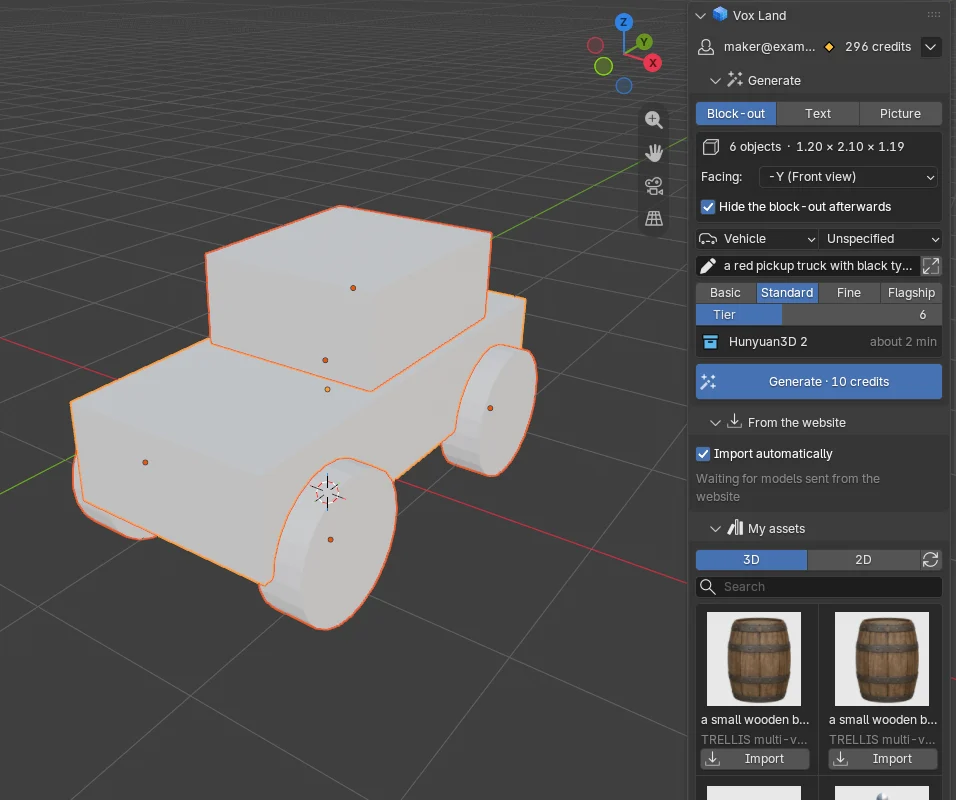
1Block it out
Put cubes and cylinders together into a rough shape, or press Add a starter shape. Parts you gave a colour keep it.
 2
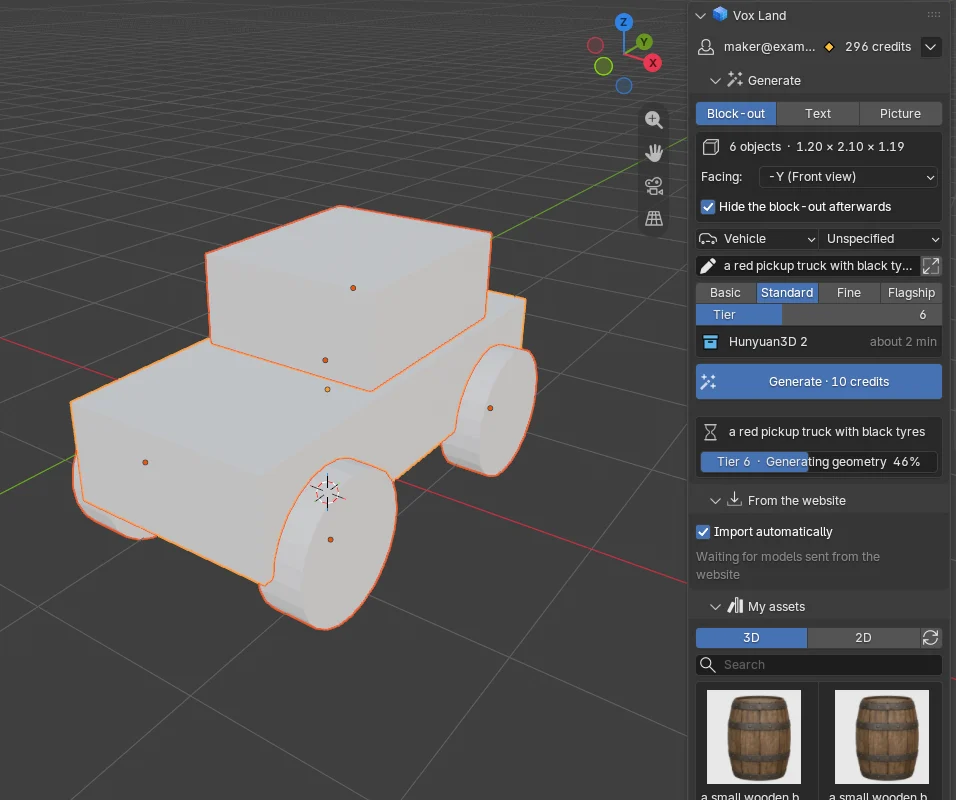
2Choose a tier, press Generate
Write a description, choose a type and a tier. The button says how many credits this run costs, and the panel shows its progress.
 3
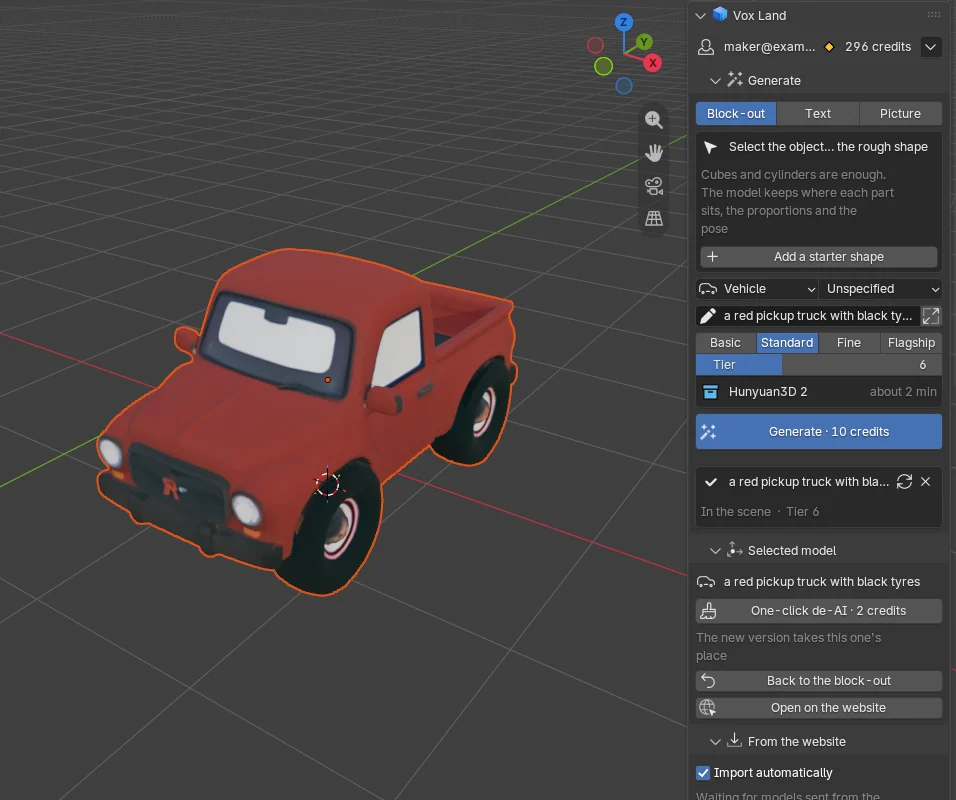
3The model takes its place
The model is placed at the block-out's position, size and facing, and the block-out is hidden. Not happy with it? Press Back to the block-out, change it and generate again.
It works like blocks on the website: the block-out decides where each part sits, the proportions and the pose; the description and the style decide the details. The Godot plugin generates from a description or a picture for now; it cannot use the objects in a scene as a block-out yet.
Blender
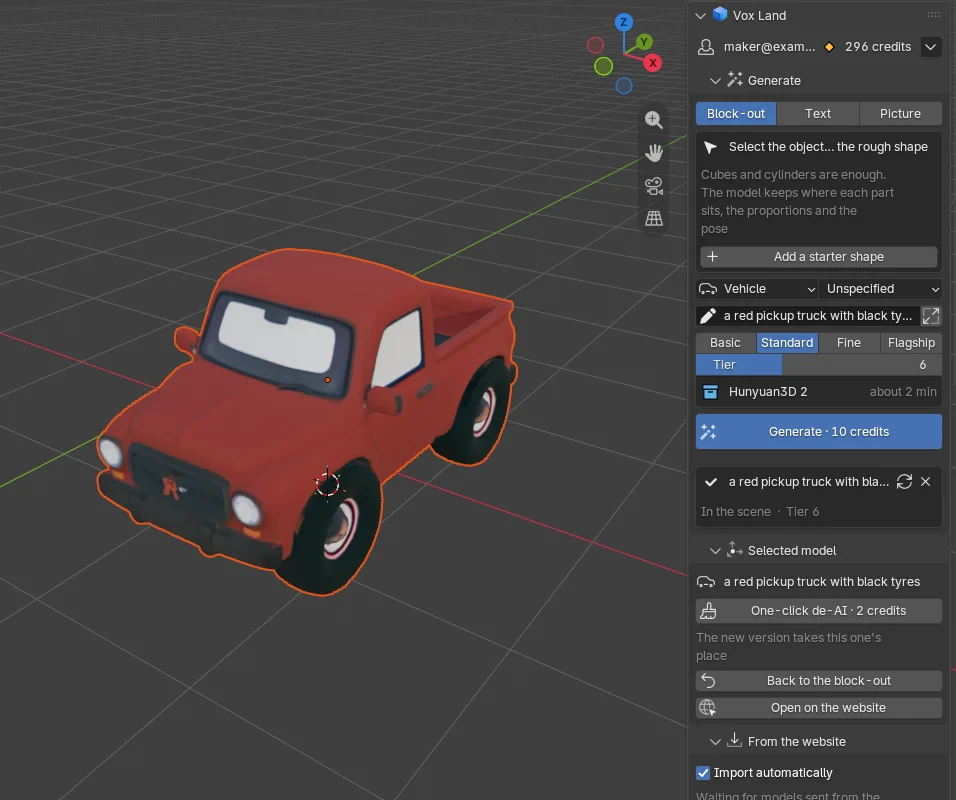
A Vox Land panel in the 3D Viewport sidebar: generate a model from the selected block-out, a description or a picture, then run the one-click de-AI pass or the AI rig on it. Models sent from the website appear in the scene too.
Download voxland-blender.zipVersion 0.2.0 · needs Blender 4.2 or later · tested on 5.2.2
- 1In Blender, open Edit → Preferences → Get Extensions, open the menu at the top right and choose Install from Disk, then pick the zip. Dragging the zip into the Blender window works too.
- 2In the 3D Viewport press N, open the Vox Land tab, click Sign in with the browser and allow it on the page that opens. Allow Online Access (Preferences → System → Network) has to be on.
- 3Select your block-out (or switch to Text or Picture), choose a type and a tier, and press Generate. Or, on the website's model page, click Send to app → Send to Blender.
Godot
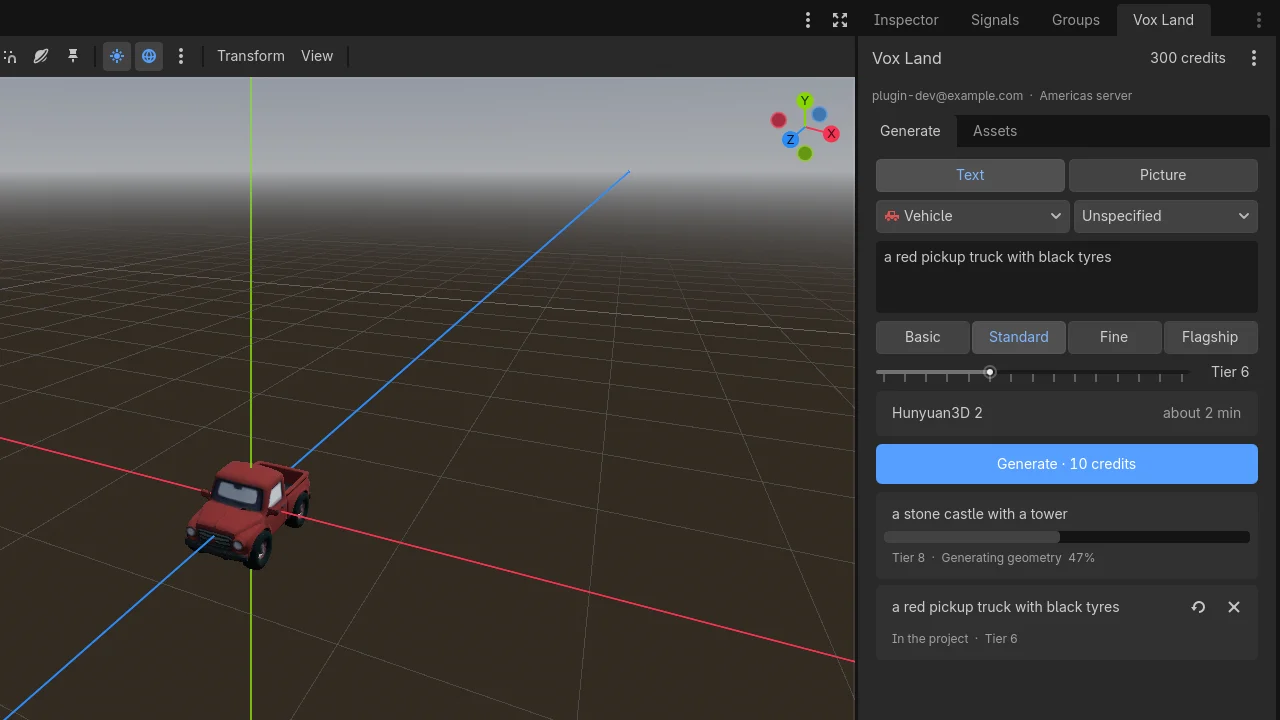
A Vox Land dock appears in the editor: type a description or pick a picture, choose a tier, and the finished model is saved to res://voxland/ in the project and dropped into the open scene. Models sent from the website are imported the same way.
Download voxland-godot.zipVersion 0.2.0 · needs Godot 4.2 or later · tested on 4.7.1
- 1Unzip it into the project folder (you get addons/voxland), or open the AssetLib tab in Godot, click Import and pick the zip.
- 2Open Project → Project Settings → Plugins and enable Vox Land. In the Vox Land dock, click Sign in with the browser and allow it on the page that opens.
- 3In the dock's Generate tab, type a description, choose a tier and press Generate. Or, on the website's model page, click Send to app → Send to Godot.
Unity
Not ready yetThe Unity plugin is in the next batch. Until then, download the Game-ready GLB and import it with Unity's official glTFast package.
Unreal Engine
Not ready yetThe Unreal Engine plugin is in the next batch. Until then, download the Game-ready GLB and import it with Unreal Engine 5's built-in glTF import.
How it works
Generating in a plugin is the same thing as generating on the website: the same tiers and credit prices, the same rules when a run fails, and the model also appears in your resources on the website.
A block-out is sent to the server as a few rendered views and a simplified mesh, used to constrain the result. Your project file is not uploaded.
A web page cannot open software on your computer, so it works the other way round: while the plugin is open it asks the server every few seconds whether there is a new file, then downloads and imports it. The browser and the app can be on different computers.
A model sent from the website is the same file as the Game-ready GLB download, with the block rig, the animations and the wheel settings. The My assets list in the plugin imports the files as stored on the server.
Accounts are per server. The plugin connects to the server you downloaded it from; if your account is in another region, switch servers in the plugin.
Signing in gives the plugin an API key of its own. It is listed under API keys & MCP in Settings, where you can revoke it at any time.
The Blender plugin is open source under GPL-3.0 and the Godot plugin under MIT; the source is in the zip.